


Title
Can an editable table enter the editing state directly when clicked, instead of double clicking a cell to make it editable?
Description
In the table editing scenario, double-clicking to enter the editing state would be cumbersome, and you need to enter the editing state directly.
Solution
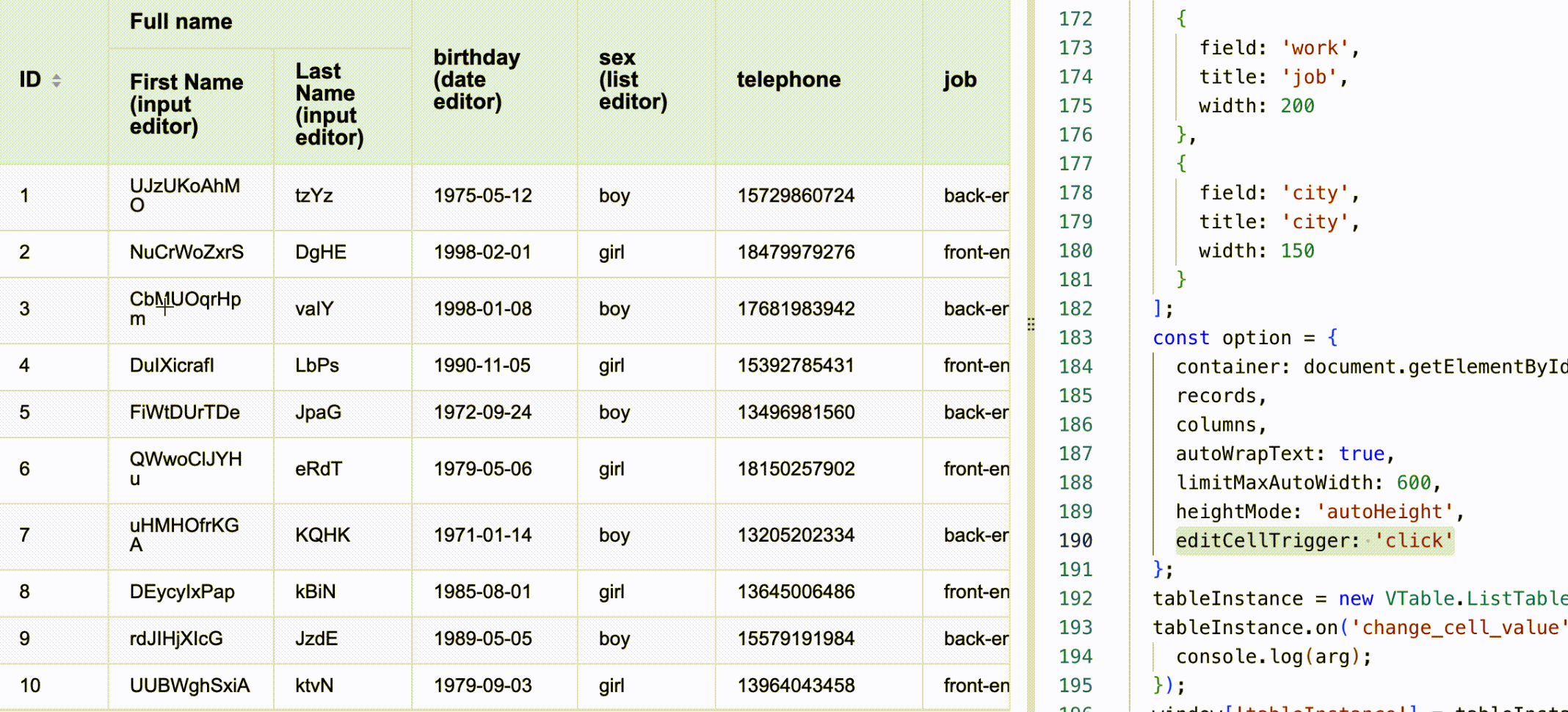
You can configure editCellTrigger to click in the table initialization option. The configuration item is defined as follows:
/** Edit triggering time: double click event | single click event | api to manually start editing. Default is double click 'doubleclick' */
editCellTrigger?: 'doubleclick' | 'click' | 'api';</br>
Code Example
  const option = {
    records,
    columns,
    autoWrapText: true,
    limitMaxAutoWidth: 600,
    heightMode: 'autoHeight',
    editCellTrigger: 'click' // Set the edit trigger timing
  };
  const tableInstance = new VTable.ListTable(container, option);</br>
Results
Online effect reference: https://visactor.io/vtable/demo/edit/edit-cell
Related Documents
Edit table demo: https://visactor.io/vtable/demo/edit/edit-cell
Edit table tutorial: https://visactor.io/vtable/guide/edit/edit_cell
Related API: https://visactor.io/vtable/option/ListTable#editCellTrigger
github: https://github.com/VisActor/VTable