It is not only a fully functional graph visualization library, but also an explorer of data relationships.
!!!###!!!title=OpenManus X VMind: Quickly Build Your Data Analysis Assistant——VisActor/VMind Application Scenario!!!###!!!
OpenManus X VMind: Quickly Build Your Data Analysis Assistant
Introduction to OpenManus
OpenManus is a concise and versatile Agent framework. Through the pluggable design of Tools and Prompts, it supports various tool invocation capabilities such as Computer Use, Browser Use, and Planning Use.
In OpenManus, you can use the basic manus agent to try out various tasks and conduct interesting explorations. You can also use OpenManus as a platform to unleash your creativity. By writing unique tools and prompts, you can create a one - of - a - kind agent.
Raise your hand 🙋, so the question is, are there any examples?
Hello, yes, examples are coming right up!
DataAnalysis Agent
Data Analysis Tasks
Our lives are filled with a vast amount of data in various industries such as economy, tourism, the Internet, and retail. If you ask DeepSeek how much data we can generate in a day, DeepSeek will tell you: The International Data Corporation (IDC) predicts that the global annual data volume will reach 175ZB (zettabytes) in 2025, which is equivalent to approximately 479EB (exabytes) per day (1EB = 10^18 bytes).
In such a large amount of data, data analysis, data presentation, and final data consumption have always been hot topics. How to use AI tools to assist in analysis or even let them do the analysis for you is the focus. The remarkable data analysis ability of Manus has left a deep impression on everyone. Turning to OpenManus, can OpenManus do what Manus can?
The answer is: No, but also yes.
Perhaps directly using OpenManus cannot achieve the same effect as Manus, because OpenManus is a very concise and versatile Agent framework, and its tool library does not have suitable data analysis tools yet. However, precisely because OpenManus is a very simple and versatile Agent framework, as long as you dare to add tools to the library, OpenManus will use them, ultimately achieving a 1 + 1 > 2 effect.
So, we, VisActor , in collaboration with the OpenManus team, integrated the open - source intelligent visualization solution VMind to add a DataAnalysis Agent to OpenManus.
Integration Method
Compared with the application ideas of general Agents in the data analysis scenario, we have made some minor changes, as follows:
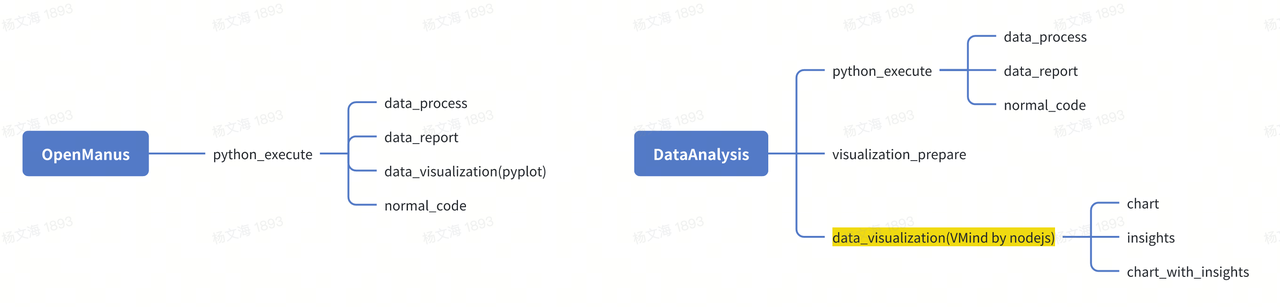
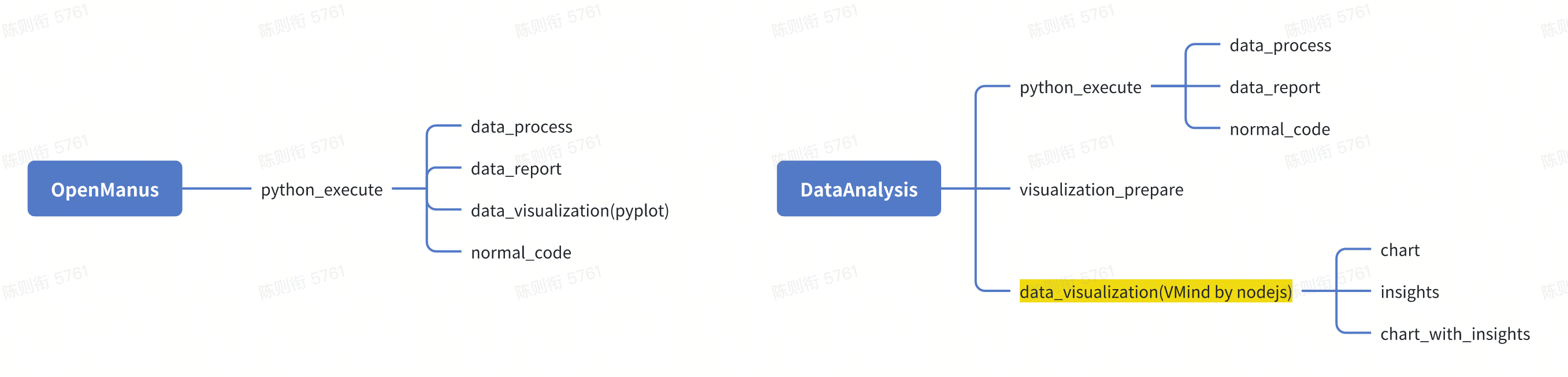
General OpenManus uses general Python tools to generate various Python code tasks. In the data analysis scenario, this includes but is not limited to data processing, data reporting, and data visualization.
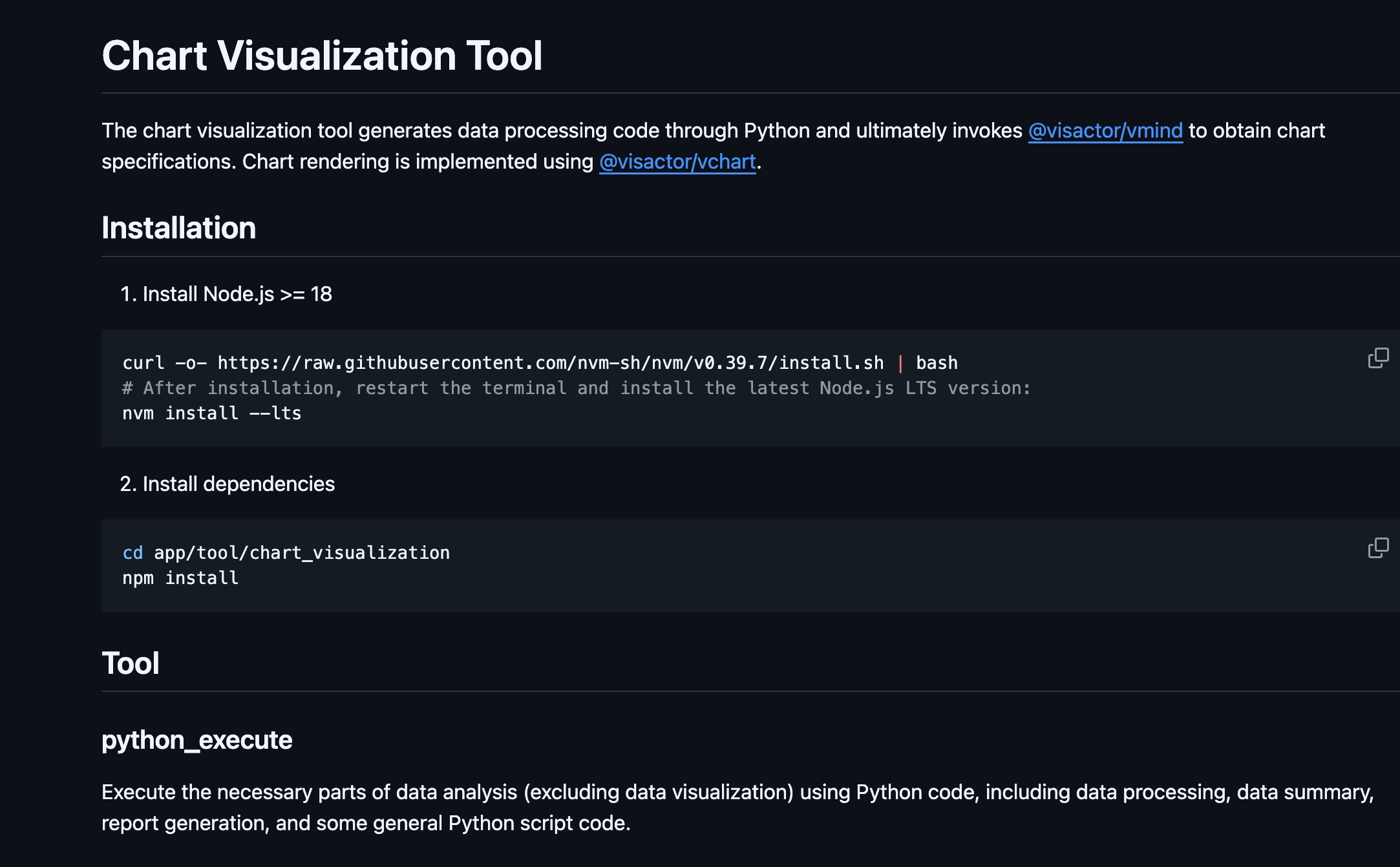
Our change is to extract the data visualization part into a separate tool, making the application scenario of this tool more focused and in - depth. The functions of this tool include data visualization, data insight, and adding data insights to charts. For details, please refer to ReadMe:
The original Python tool will then focus more on data processing/data reporting tasks.
Python Tool Modification
Thanks to the existing manus architecture, adding a dedicated Python tool has become very smooth and simple. Observing the original Python tool, we can find that its structure is also very simple and clear, as follows:
The name, description, and parameters directly correspond to the prompt parameters of the function call in the large language model.
The execute function is the corresponding function executed when the current Python tool is called, and it will ultimately call the _run_code function to obtain the result.
classPythonExecute(BaseTool):"""A tool for executing Python code with timeout and safety restrictions.""" name: str = "python_execute" description: str = "Executes Python code string. Note: Only print outputs are visible, function return values are not captured. Use print statements to see results." parameters: dict = {
"type": "object",
"properties": {
"code": {
"type": "string",
"description": "The Python code to execute.",
},
},
"required": ["code"],
}
def_run_code(self, code: str, result_dict: dict, safe_globals: dict) -> Noneasyncdef execute(
self,
code:str,
timeout: int = 5,
) -> Dict:
"""
Executes the provided Python code with a timeout.
Args:
code (str): The Python code to execute.
timeout (int): Execution timeout in seconds.
Returns:
Dict: Contains 'output' with execution output or error message and 'success' status.
"""
What we do is very simple. We only need to inherit this function and modify the existing prompt to make it a tool suitable for data analysis. The result is as follows. We mainly clarify the following points through the prompt:
In the prompt, clarify that the main tasks are data analysis, data reporting, and other ordinary code writing tasks.
Hope the large language model can provide dataset overview, details of each column in the dataset, basic data statistics, generate derived indicators, time - series comparison, outliers, key insights, etc.
Guide the large language model to conduct multiple analyses based on existing analyses to form in - depth and meaningful analysis data.
from app.config import config
from app.tool.python_execute import PythonExecute
classNormalPythonExecute(PythonExecute):"""A tool for executing Python code with timeout and safety restrictions.""" name: str = "python_execute" description: str = """Execute Python code for in-depth data analysis / data report(task conclusion) / other normal task without direct visualization.""" parameters: dict = {
"type": "object",
"properties": {
"code_type": {
"description": "code type, data process / data report / others",
"type": "string",
"default": "process",
"enum": ["process", "report", "others"],
},
"code": {
"type": "string",
"description": """Python code to execute.
# Note
1. The code should generate a comprehensive text-based report containing dataset overview, column details, basic statistics, derived metrics, timeseries comparisons, outliers, and key insights.
2. Use print() for all outputs so the analysis (including sections like 'Dataset Overview' or 'Preprocessing Results') is clearly visible and save it also
3. Save any report / processed files / each analysis result in worksapce directory: {directory}
4. Data reports need to be content-rich, including your overall analysis process and corresponding data visualization.
5. You can invode this tool step-by-step to do data analysis from summary to in-depth with data report saved also""".format(
directory=config.workspace_root
),
},
},
"required": ["code"],
}
asyncdefexecute(self, code: str, code_type: str | None = None, timeout=5):returnawaitsuper().execute(code, timeout)
Through the above operations, we can obtain a tool proficient in using Python code for data analysis/data reporting by simply modifying the prompt. Adding it to the manus tool library completes your customized creation.
Data Analysis Agent
After having our dedicated tool, it becomes even simpler to form our data analysis agent!
Step 1: Inherit ToolCallAgent
ToolCallAgent is a general agent that calls various tools. By inheriting it, we already have the ability to call tools to solve problems.
""" Inherit ToolCallAgent """classDataAnalysis(ToolCallAgent):"""
A data analysis agent that uses planning to solve various data analysis tasks.
This agent extends ToolCallAgent with a comprehensive set of tools and capabilities,
including Data Analysis, Chart Visualization, Data Report.
"""
Step 2: Rewrite the prompt
Modify the system_prompt and next_step_prompt to inject the soul of the agent.
classDataAnalysis(ToolCallAgent):"""
A data analysis agent that uses planning to solve various data analysis tasks.
This agent extends ToolCallAgent with a comprehensive set of tools and capabilities,
including Data Analysis, Chart Visualization, Data Report.
""" name: str = "DataAnalysis" description: str = "An analytical agent that utilizes multiple tools to solve diverse data analysis tasks"# Modify your own prompt system_prompt: str = SYSTEM_PROMPT.format(directory=config.workspace_root)
next_step_prompt: str = NEXT_STEP_PROMPT
Step 3: Inject Tools
The last step is to inject usable tools, and then we're done.
classDataAnalysis(ToolCallAgent):"""
A data analysis agent that uses planning to solve various data analysis tasks.
This agent extends ToolCallAgent with a comprehensive set of tools and capabilities,
including Data Analysis, Chart Visualization, Data Report.
""" name: str = "DataAnalysis" description: str = "An analytical agent that utilizes multiple tools to solve diverse data analysis tasks" system_prompt: str = SYSTEM_PROMPT.format(directory=config.workspace_root)
next_step_prompt: str = NEXT_STEP_PROMPT
max_observe: int = 15000 max_steps: int = 20# Inject usable tools available_tools: ToolCollection = Field(
default_factory=lambda: ToolCollection(
NormalPythonExecute(),
VisualizationPrepare(),
DataVisualization(),
Terminate(),
)
)
Final Results
Manus
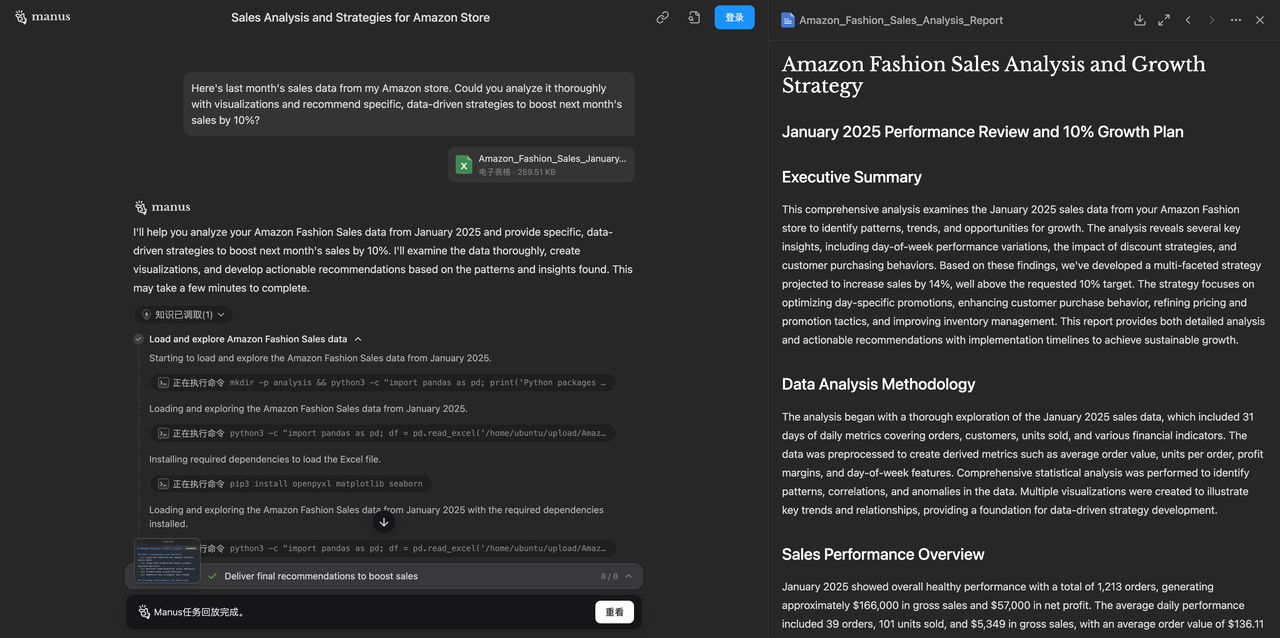
So, what's the final result? Can it reach the level of Manus? Let's find out. We tried a classic analysis case on Manus:
This is a typical data analysis scenario. Given monthly sales data, Manus was expected to provide a plan for a 10% sales increase in the next month. Manus completed this task very well, generating a detailed report and many data analysis results and data visualization results.
OpenManus Running Results
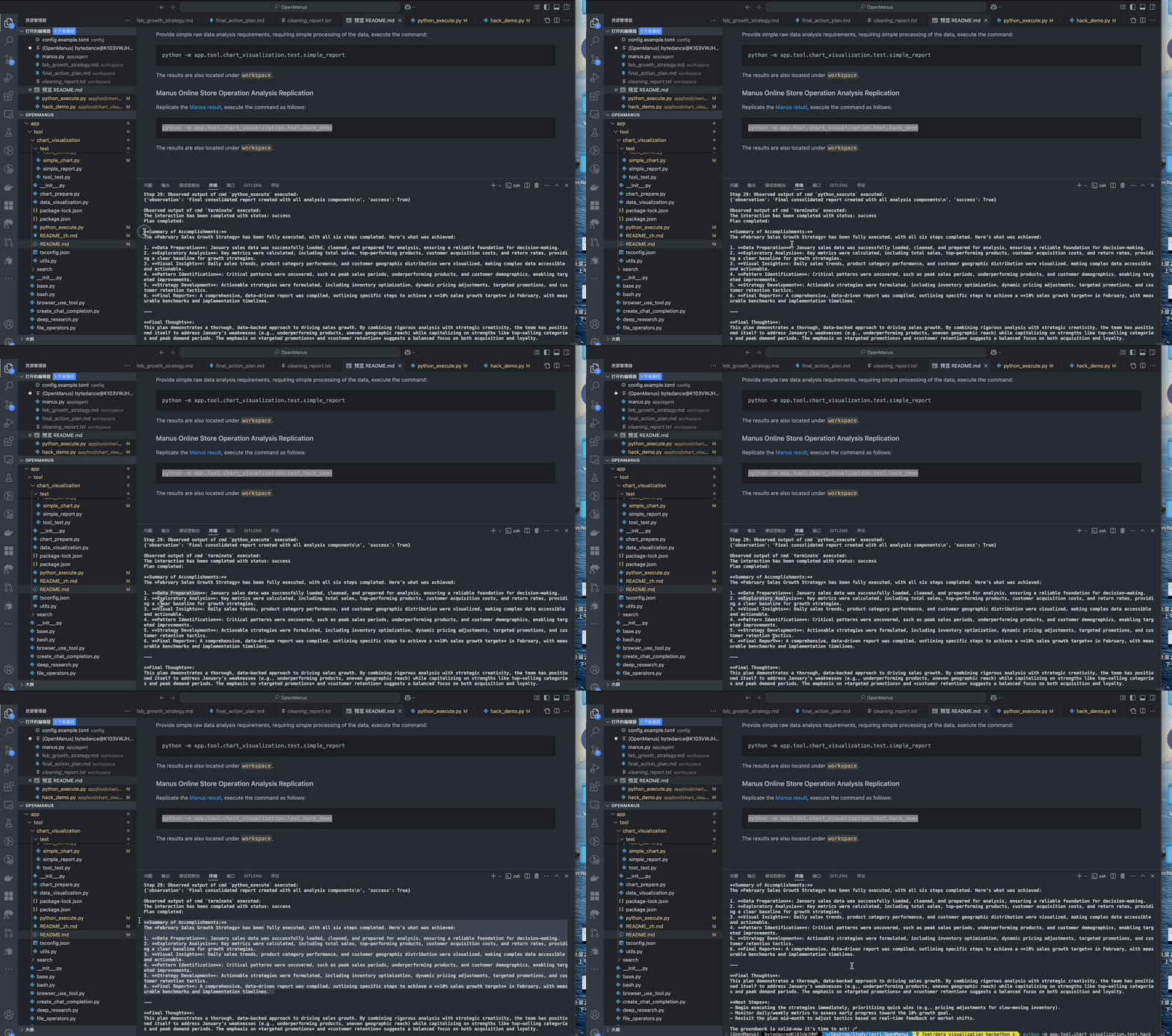
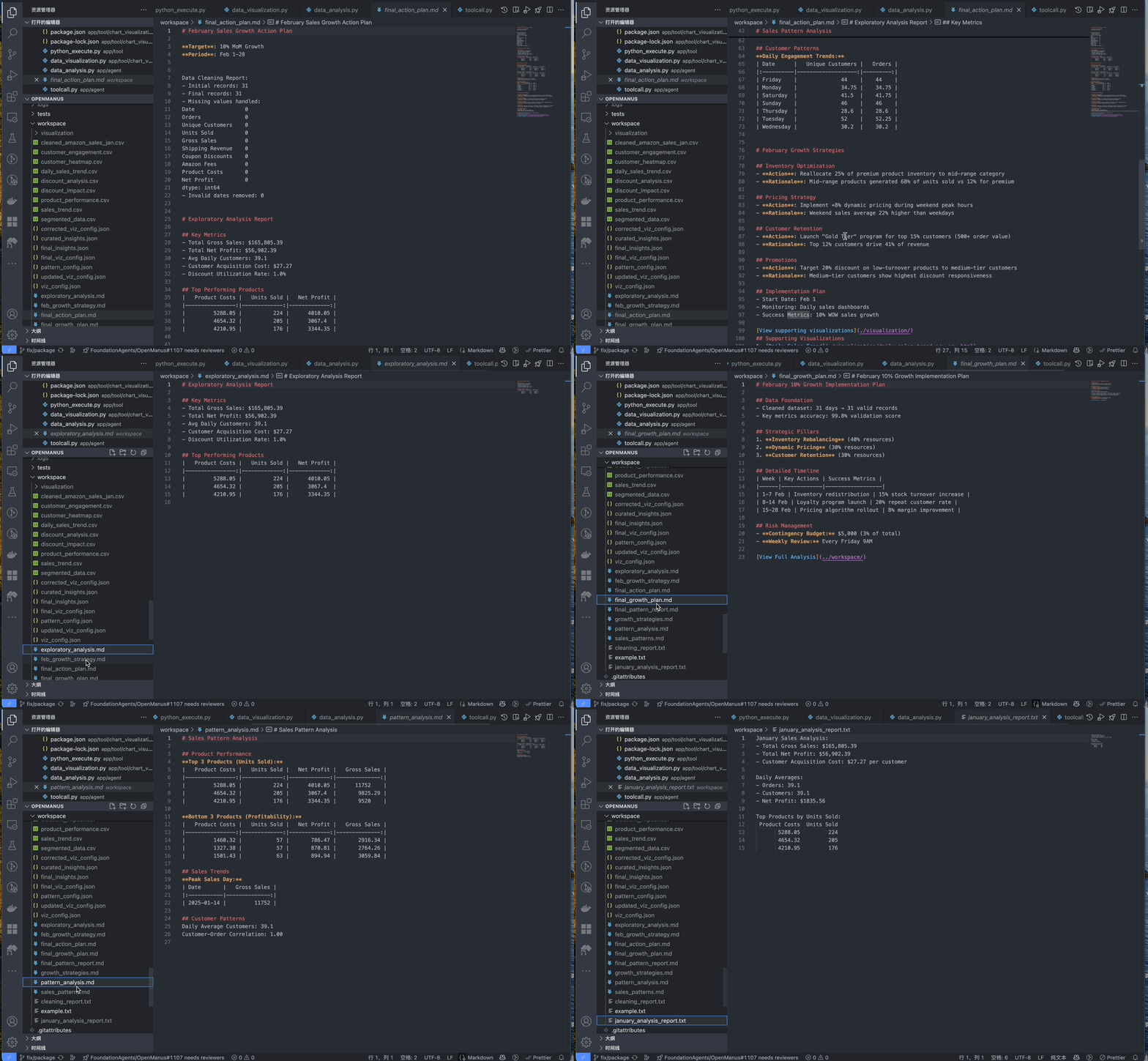
After adding VMind to OpenManus, the data analysis and chart generation capabilities of OpenManus have significantly improved on the basis of the original general architecture. It can generate multiple high - quality Markdown data analysis reports and rich and accurate data visualization results.
Task Decomposition
The agent will decompose the overall task into sub - tasks such as data processing, data analysis, data visualization, pattern recognition, strategy generation, and final report generation for execution.
Final Report
After all tasks are completed, we generated the final data report and multiple intermediate analysis result reports. The data report also contains links to the generated visualization results.
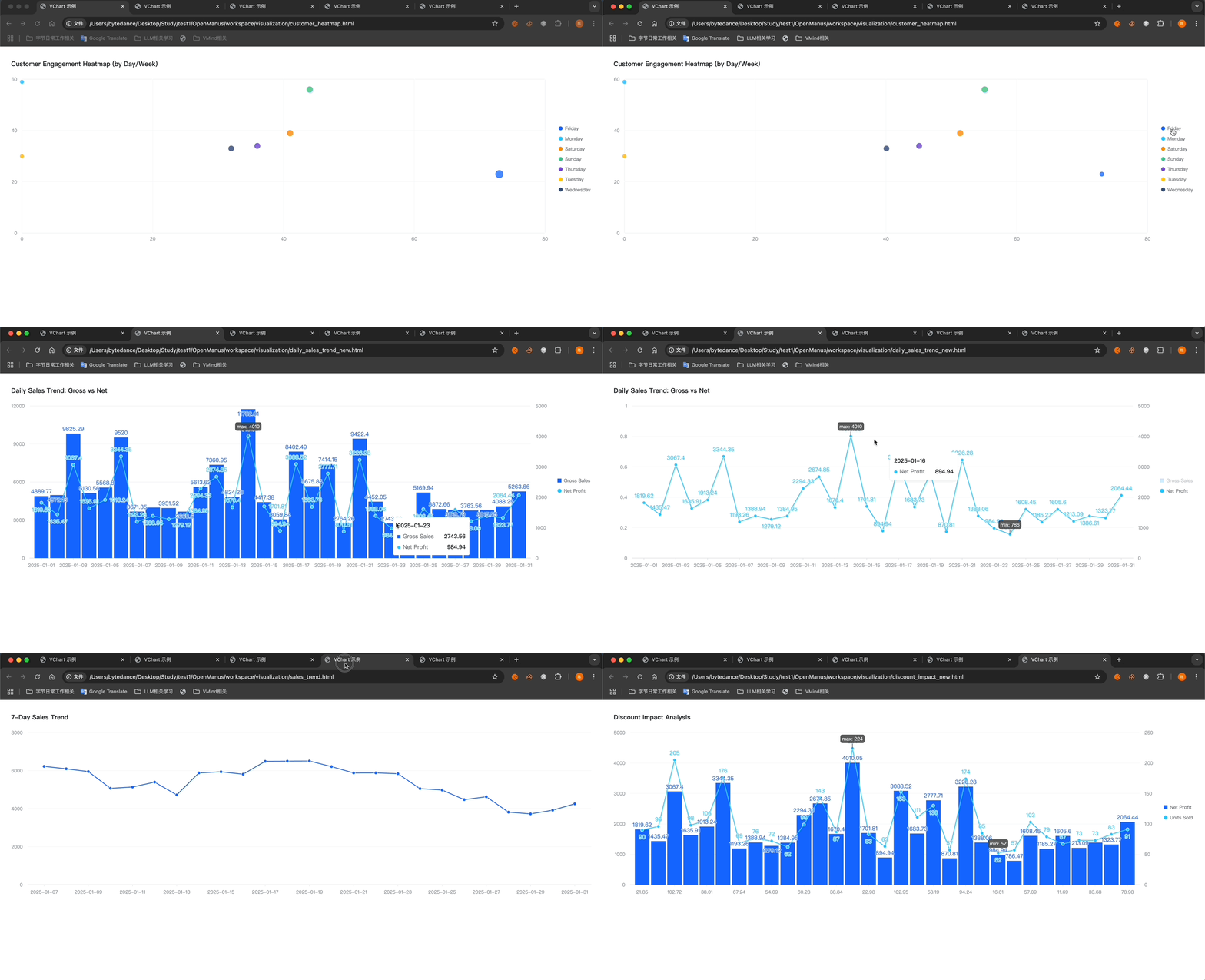
Visualization Results
The following is a partial display of data visualization results. It can generate interactive chart pages (rendered by VChart) with data annotations.
In Conclusion
Summary
Thanks to the concise and versatile design of OpenManus, adding a new tool or agent on its basis is a very simple task 🚀 Developers only need to focus on the specific implementation and input - output of their own tools, without spending a lot of energy on the agent framework, interaction, and communication with large language models. They can easily create their own agents! The DataAnalysis Agent is such an example. We only need to design the corresponding data analysis tools to have super - strong data analysis capabilities. Perhaps this is the feeling of standing on the shoulders of giants!
Next Steps
This is just a small attempt. There are still many problems at present. In the future, we will continue to improve the scheduling ability of data analysis tools and integrate a more powerful VMind mcp service. Our goal is to build a full - process tool integrating data analysis, chart recommendation, automatic beautification, automatic layout, and automatic report generation. The products include charts, reports, posters, dashboards, and presentations.
Welcome to Communicate and Contribute
Finally, we welcome everyone to participate in the open - source construction of OpenManus and VisActor in various ways, such as submitting issues, writing code, adding comments, and giving stars. These are all forms of support for open - source projects.