Design and Module Division of the Event System in VTable
What is an Event System
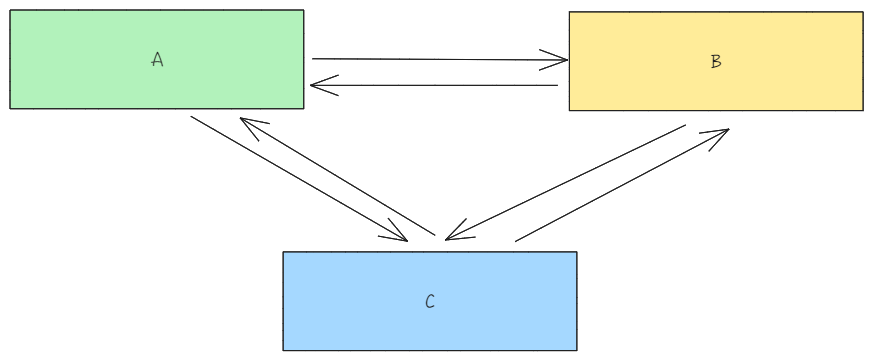
A project often consists of multiple modules. During the development process, there will inevitably be situations where one module depends on multiple modules, and multiple modules simultaneously depend on one module. As the project grows, relying solely on direct interaction between modules will increase the coupling of the project. \r
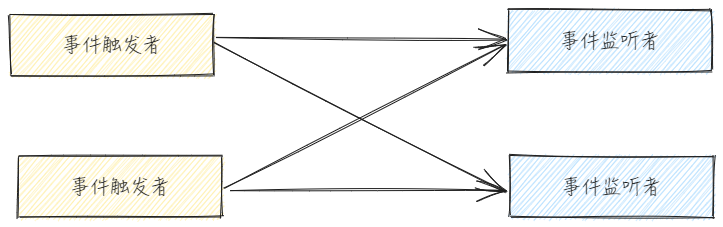
Without an event system, if you need to notify affected modules, each module that triggers an event must notify all listening modules. This is an n-n relationship, and as the project grows, maintaining this relationship becomes very complex. \r
This is when the event system comes into play.
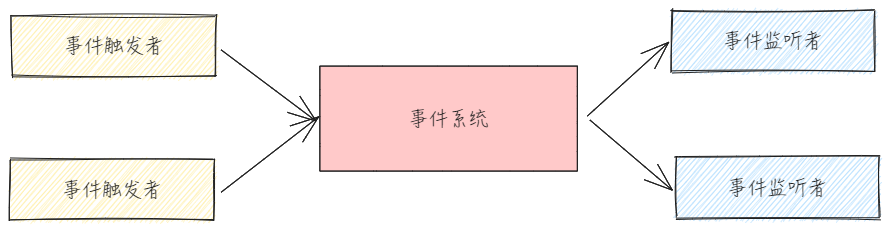
The main function of the event system is to decouple dependencies. After introducing the event system, all event management can be stored in the event system.
The event system is equivalent to a transit station and is not responsible for business logic, or it rarely handles business logic. It only listens to events and uniformly dispatches them. Other modules only need to be concerned with the event system and do not need to spend effort maintaining relationships with other dependent modules. \r
From the above figure, it can be observed that the event trigger will only involve the event system, and the event listener will only listen to events triggered by the event system. This way, the original n-n relationship can be converted into a 1-n relationship, reducing the coupling between modules. \r
Events in VTable
In JS, events mainly refer to specific behaviors in the browser, such as mouse clicks and wheel scrolling. Through event-driven programming, users are allowed to create interactive web pages.
However, the events in the VTable are not limited to native browser events; they also include custom events. \r
VTable listens to both custom events and native browser events at the same time
Native browser events, including but not limited to:
touchstart
touchcancel
touchmove
touchend
pointermove
pointerup
pointerdown
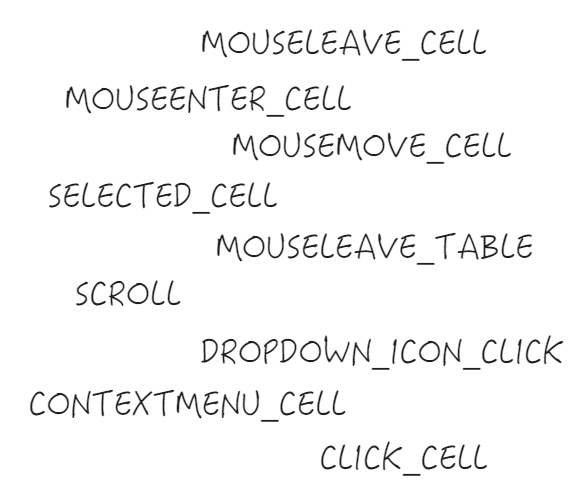
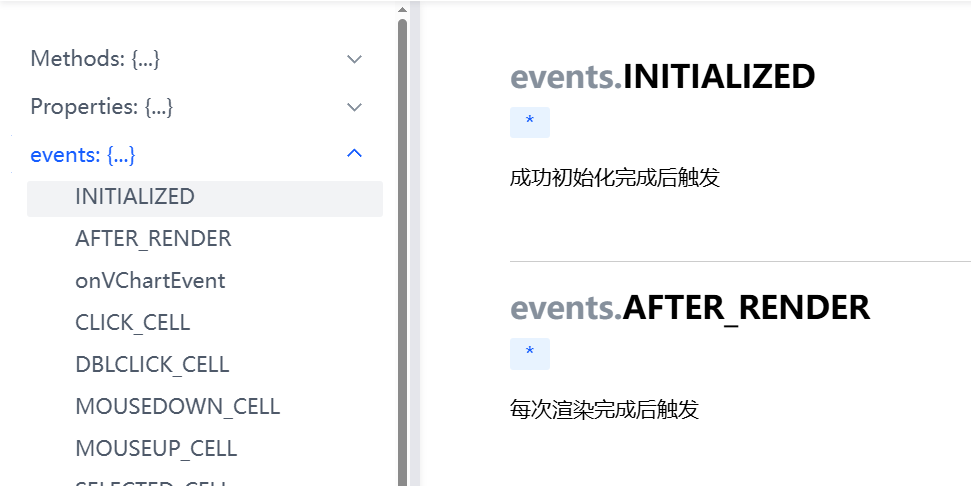
Custom Events: Unlike native browser events, they are only triggered in specific business logic, mainly utilizing the publish-subscribe module in VTable to achieve this. Custom events include but are not limited to:
CLICK_CELL
DBLCLICK_CELL
DBLTAP_CELL
MOUSEDOWN_CELL
MOUSEUP_CELL
SELECTED_CELL
CONTEXTMENU_CELL
CONTEXTMENU_CANVAS
DRAG_SELECT_END
Event System Design
The event system is mainly responsible for several tasks, including listening to DOM events, triggering custom events, and updating the state management module. Next, let's look at the module division and implementation ideas of the event system. \r
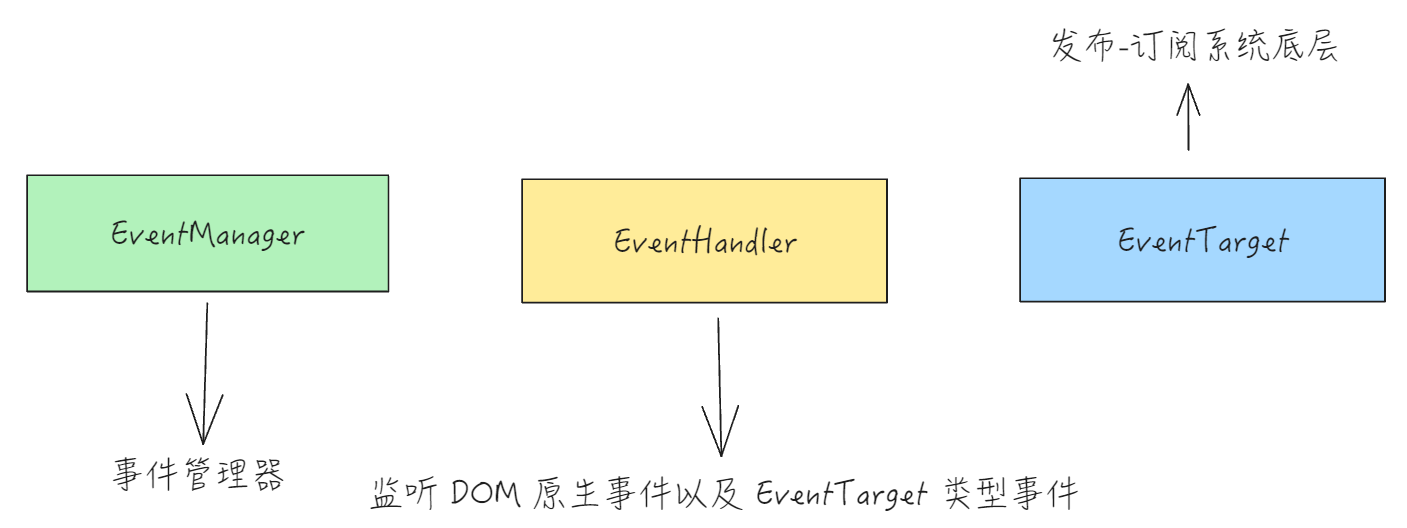
The event system in VTable is mainly implemented by the following modules.
EventTarget
vtable\src\event\EventTarget.ts
EventTarget is the lowest level of custom event implementation in the event system, implementing the publish-subscribe functionality.
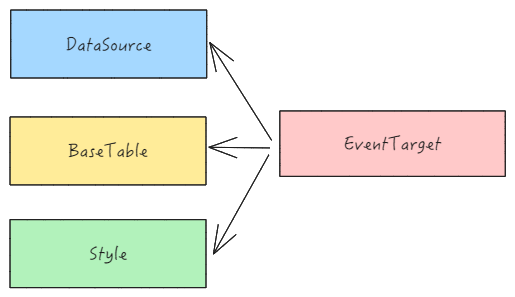
There are three important modules inside VTable, all derived from EventTarget; \r
Due to the presence of EventTarget, VTable can more easily create and listen to custom events. For example, if we want to listen to a custom event of an icon click, we only need to call the on method and pass in the corresponding callback, then the callback will be executed directly when the event is triggered later.
EventHandler mainly adopts the observer and publish-subscribe pattern. The difference between it and EventTarget is that EventTarget is mainly responsible for custom events, while EventHandler is mainly responsible for listening to native DOM events, including but not limited to:
copy
paste
contextmenu
resize
blur
The method of registering callbacks is the same as the EventTarget method, both using the on method. The difference is that EventHandler mainly listens to native DOM elements.
There are also differences in the implementation of the on method. By observing the source code, we can see that when registering callback events, it checks for the existence of addEventListener, which allows for native DOM event listening.
// packages\vtable\src\event\EventHandler.ts
export class EventHandler {
 on(
    target: HTMLElement | Window | EventHandlerTarget,
    type: string,
    listener: Listener,
    ...options: any[]
  ): EventListenerId {
    if (Env.mode === 'node') {
      return -1;
    }
    const id = idCount++;
    if (target?.addEventListener) {
      if (type !== 'resize' || (target as Window) === window) {
        (target as EventTarget)?.addEventListener(type, listener, ...(options as []));
      } else {
        const resizeObserver = new ResizeObserver(target as HTMLElement, listener, this.resizeTime);
        this.reseizeListeners[id] = resizeObserver;
      }
    }
    const obj = { target, type, listener, options };
    this.listeners[id] = obj;
    return id;
  }
  // ...
 }
EventManager
EventManager is the event manager of VTable, which provides a unified interface for handling events within VTable. It is responsible for listening to most events and registering custom events, including native DOM events and custom events.
Let's take bindTableGroupListener as an example, where the listening and callback registration for external events provided by tableGroup is completed within the function. In the callbacks of these external events, it will be determined based on specific business logic whether to trigger custom events.
bindSelfEvent mainly registers custom events, including but not limited to ICON_CLICK and DROPDOWN_MENU_CLICK, and the event registration functionality relies on EventTarget.
In simple terms, bindOuterEvent completes the event listening, and bindSelfEvent completes the registration of custom events.
Conclusion
The event system of VTable is mainly divided into two parts: \r
Native DOM event listening, handling DOM events;
External event listening, including events bubbling up from the Stage, to determine whether to trigger custom events based on specific conditions.
By splitting the interaction of the table into event modules and state modules, the event module mainly triggers listening and triggering, while the state module is responsible for maintaining the internal state of the table, implementing the logic of event change -> state change -> table rendering. This modular approach can better reduce the coupling between project modules.
This document is provided by the following personnel