


Introduction
The event module serves as the entry module for interactive functions in the VTable, primarily listening to two parts of events:
-
Listening to external events, events related to the scene tree.
-
Listening to native DOM events.
This article will analyze from the above two perspectives, explaining which events the VTable specifically listens to. \r
Listening Closure
Most of the event listening is done in the EventManager module, with the main entry point located at bindOuterEvent. Next, we will analyze the event listening part in the VTable through this function.
// packages\vtable\src\event\event.ts
export class EventManager {
// ...
  bindOuterEvent() {
    bindTableGroupListener(this);
    bindContainerDomListener(this);
    bindScrollBarListener(this);
    bindTouchListener(this);
    bindGesture(this);
  }
}
bindOuterEvent is divided into five parts:
-
bindTableGroupListener: Mainly listens to external events, scene tree related events; \r
-
bindContainerDomListener: Listen to native DOM events; \r
-
bindScrollBarListener: Listen to external scrollbar events; \r
-
bindTouchListener: Listen to touch events on mobile devices, internally listening to both native DOM and external events; \r
-
bindGesture: Listen for double-click events and trigger custom events related to double-clicking; \r
The following will provide a detailed analysis of these modules.
DOM Related Events
Table Container
bindContainerDomListener is responsible for listening to native DOM events internally, mainly listening to the following two objects.
document related
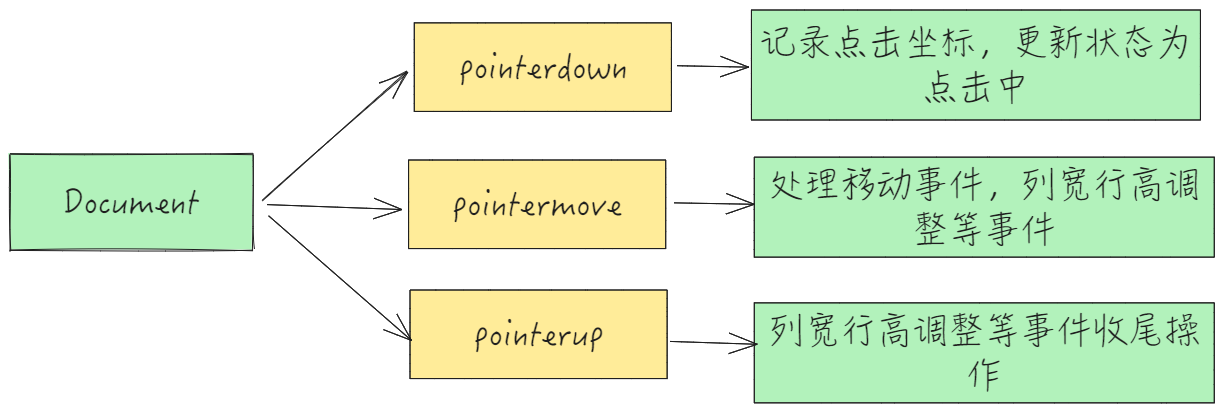
Table Container
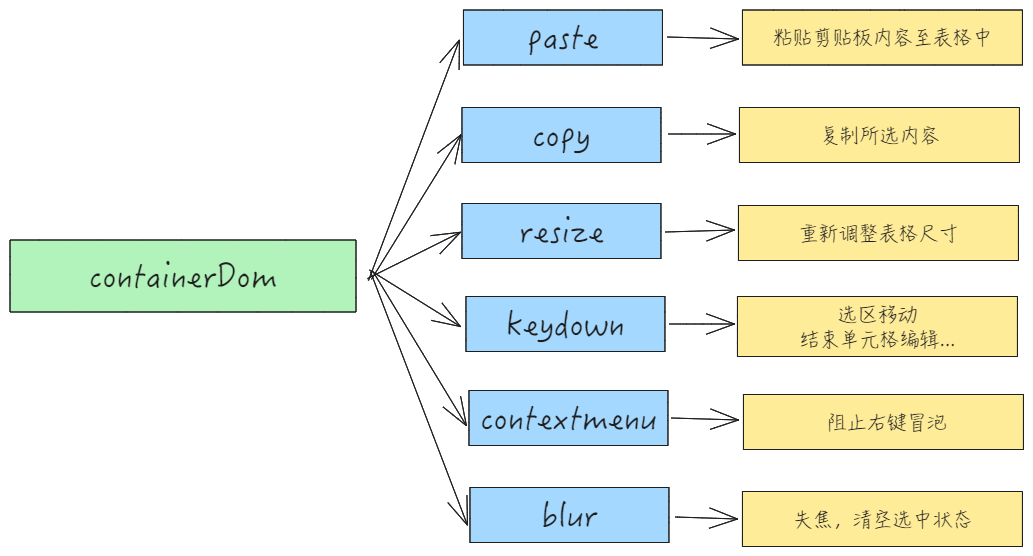
Source Code
- bindContainerDomListener
// vtable\src\event\listener\container-dom.ts
// 容器级事件
handler.on(table.getElement(), 'blur', ...);       // 失去焦点
handler.on(table.getElement(), 'keydown', ...);     // 键盘事件(快捷键)
handler.on(table.getElement(), 'copy', ...);        // 复制操作
handler.on(table.getElement(), 'paste', ...);       // 粘贴操作
handler.on(table.getElement(), 'contextmenu', ...); // 右键菜单
// 全局指针事件
document.body.addEventListener('pointerdown', ...);   // 全局按下
document.addEventListener('pointerup', ...);          // 全局释放
document.body.addEventListener('pointermove', ...);   // 全局移动
// 容器尺寸变化
handler.on(table.getContainer(), 'resize', ...);     // 容器resize
Mobile Events
- bindTouchListener
bindTouchListener listens to mobile events, mainly to support the table movement feature on mobile devices.
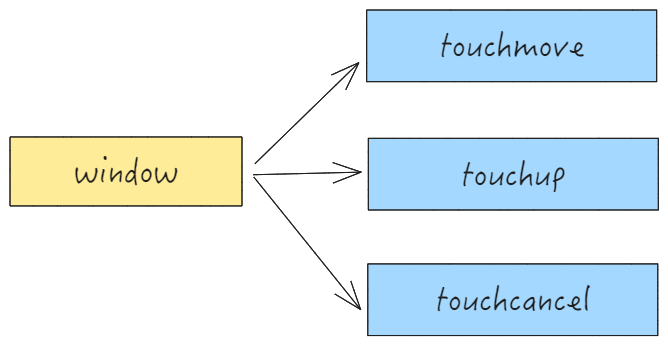
- Source code
// packages\vtable\src\event\listener\touch.ts
window.addEventListener('touchmove', (e) => {    // 触摸移动
    // 1. 阻止默认滚动行为
    // 2. 计算滑动距离(deltaX/deltaY)
    // 3. 调用handleWhell实现表格内容滚动
});

window.addEventListener('touchend', (e) => {      // 触摸结束
    // 触发惯性滚动
});

window.addEventListener('touchcancel', (e) => {
    // 清空移动端 touch 事件相关参数
});
Scene Tree Related
Basic Events of Scene Tree
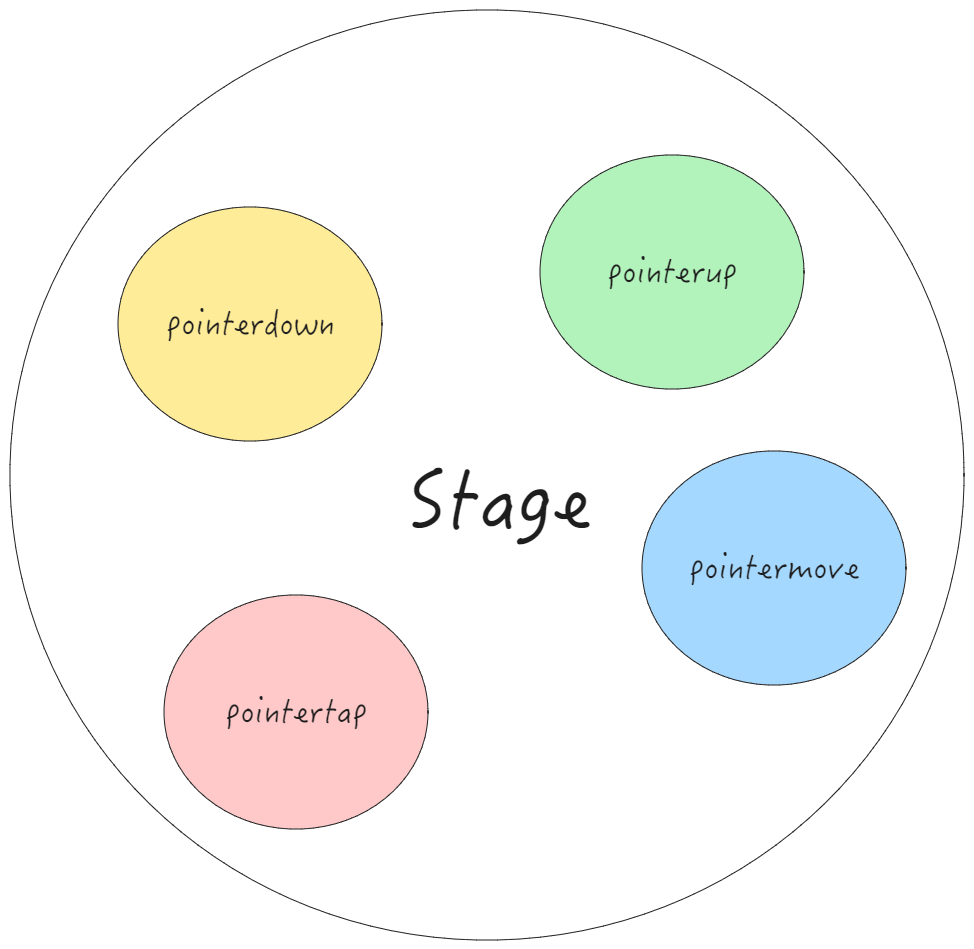
The scene tree is divided into three parts for listening, which will be explained below: \r
tableGroup
The table overall Group container is related, mainly to listen to events provided by VRender; \r
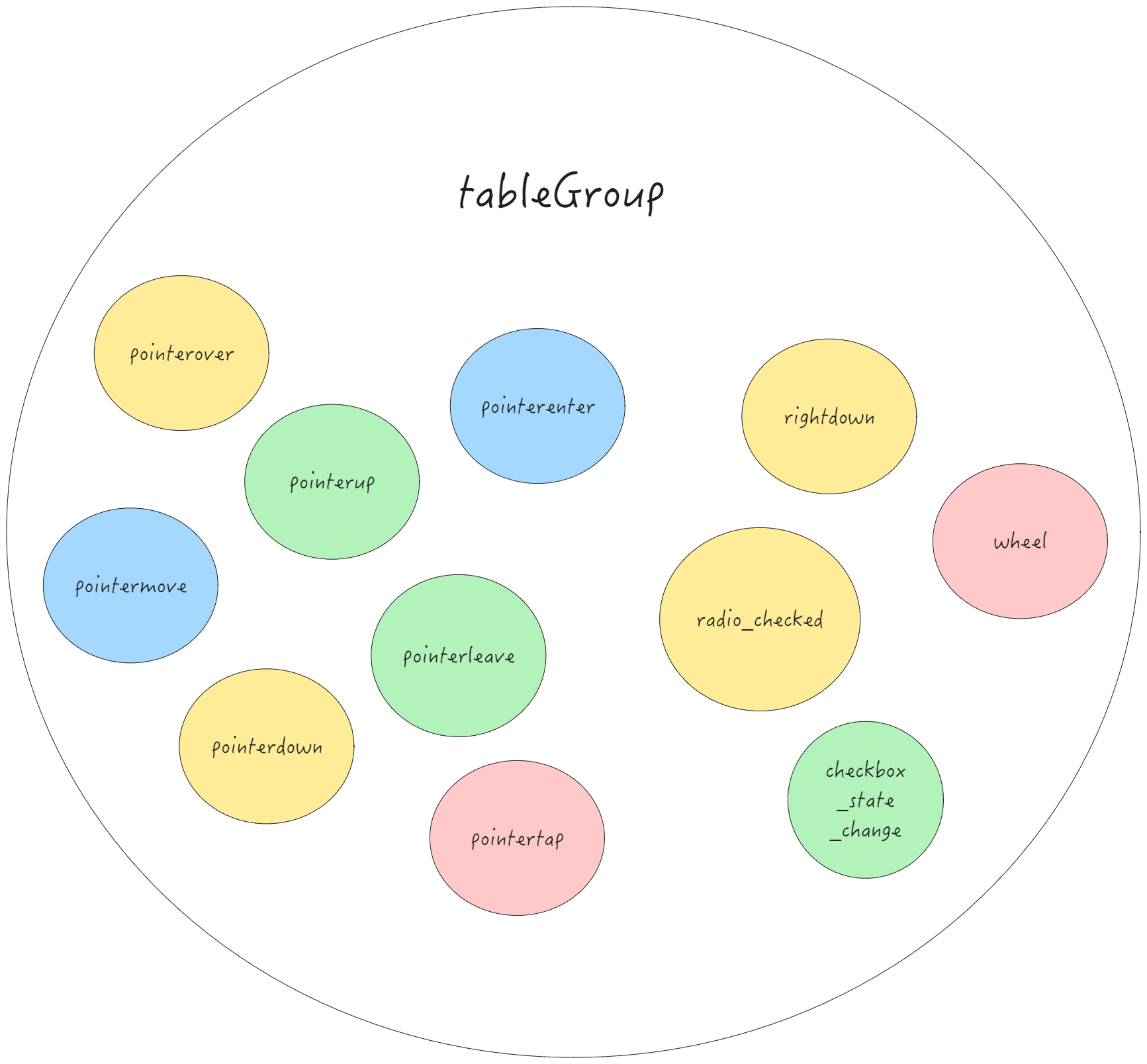
stage event
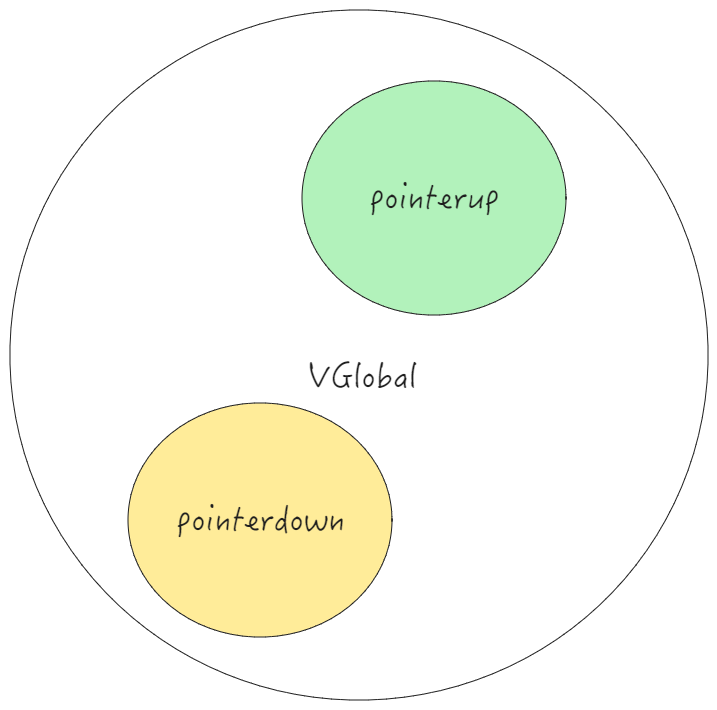
Global Events
Source Code
- bindTableGroupListener
// packages\vtable\src\event\listener\table-group.ts
// 表格组基础事件
table.scenegraph.tableGroup.addEventListener('pointermove', ...); // 指针移动
table.scenegraph.tableGroup.addEventListener('pointerdown', ...); // 指针按下
table.scenegraph.tableGroup.addEventListener('pointerup', ...);   // 指针释放
table.scenegraph.tableGroup.addEventListener('pointerover', ...);   // 指针进入区域内部
table.scenegraph.tableGroup.addEventListener('pointerenter', ...);   // 指针穿过区域边界
table.scenegraph.tableGroup.addEventListener('pointerleave', ...);   // 指针离开区域
table.scenegraph.tableGroup.addEventListener('pointertap', ...);   // 指针点击
table.scenegraph.tableGroup.addEventListener('rightdown', ...);   // 右键点击
table.scenegraph.tableGroup.addEventListener('wheel', ...);       // 滚轮事件
table.scenegraph.tableGroup.addEventListener('checkbox_state_change', ...); // 多选框状态改变
table.scenegraph.tableGroup.addEventListener('radio_checked', ...); // 单选框状态改变

// stage 相关
table.scenegraph.stage.addEventListener('pointerdown', ...);
table.scenegraph.stage.addEventListener('pointerup', ...);
table.scenegraph.stage.addEventListener('pointertap', ...);
table.scenegraph.stage.addEventListener('pointermove', ...);

// vglobal
vglobal.addEventListener('pointerup', globalPointerupCallback);
vglobal.addEventListener('pointerdown', globalPointerdownCallback);
Scrollbar Related Events
bindScrollBarListener listens to the events provided by the ScrollBar component of VRender.
VTable has two types of scroll bars, namely the horizontal scroll bar hScrollBar and the vertical scroll bar vScrollBar. The event types listened to by these two scroll bars are the same. Taking the vertical scroll bar as an example, it mainly listens to the following events:
-
pointerover
-
pointerout
-
pointerup
-
pointermove
-
pointerupoutside
-
scrollDown
-
scrollDrag
-
scrollUp
bindScrollBarListener
// packages\vtable\src\event\listener\scroll-bar.ts
// 垂直滚动条事件
scenegraph.component.vScrollBar.addEventListener('pointerover', (e) => {  // 指针悬停
    stateManager.showVerticalScrollBar(); // 显示滚动条
});
scenegraph.component.vScrollBar.addEventListener('pointerout', (e) => {   // 鼠标移出
    stateManager.hideVerticalScrollBar(); // 隐藏滚动条
});
scenegraph.component.vScrollBar.addEventListener('pointerdown', (e) => { // 鼠标按下
    // 1. 阻止事件冒泡
    // 2. 触发MOUSEDOWN_TABLE事件
});
// 滚动条拖动事件
scenegraph.component.vScrollBar.addEventListener('scrollDrag', ((e) => {
    // 1. 同步表格滚动位置
    // 2. 更新画布渲染
}));
scenegraph.component.vScrollBar.addEventListener('scrollDown', (e) => {
    // 点击滚动条,更新滚动状态
});
// 鼠标从滚动条上抬起事件,清除滚动状态
scenegraph.component.vScrollBar.addEventListener('scrollUp', (e:) => {})
Mobile Events
bindTouchListener separately registers a touchstart callback for tableGroup to initialize touch information on mobile devices.
// packages\vtable\src\event\listener\touch.ts
// 基础触摸事件
table.scenegraph.tableGroup.addEventListener('touchstart', (e: FederatedPointerEvent) => {
    // 记录触摸点坐标和时间戳
    eventManager.touchMovePoints.push({...});
});
Conclusion
VTable has a very complex interaction system, and the most important module that these interactions rely on is the event module. In the event module, dozens of events are listened to, including custom events and external events.
It is precisely because VTable has such a robust event listening feature that it can achieve so many smooth interactions. \r
This document is provided by the following personnel
taiiiyang(https://github.com/taiiiyang)