It is not only a fully functional graph visualization library, but also an explorer of data relationships.
!!!###!!!title=4.3 Built-in Event Definition and Implementation——VisActor/VTable Contributing Documents!!!###!!!!!!###!!!description=---
title: 4.3 Built-in Event Definition and Implementation
key words: VisActor,VChart,VTable,VStrory,VMind,VGrammar,VRender,Visualization,Chart,Data,Table,Graph,Gis,LLM
---
!!!###!!!
Introduction
VTable internally listens to two types of events: native DOM events and built-in custom events. \r
This article will explain the definition of custom events and matters related to custom events in the VTable.
Custom Events
In front-end development, communication between Javascript and HTML is done through events, such as blur, click, mouse movement, etc. Events are a form of communication, and we can complete page interaction functions by listening to events. \r
However, for complex projects, basic events cannot meet business needs, and this is where custom events can be introduced.** \r
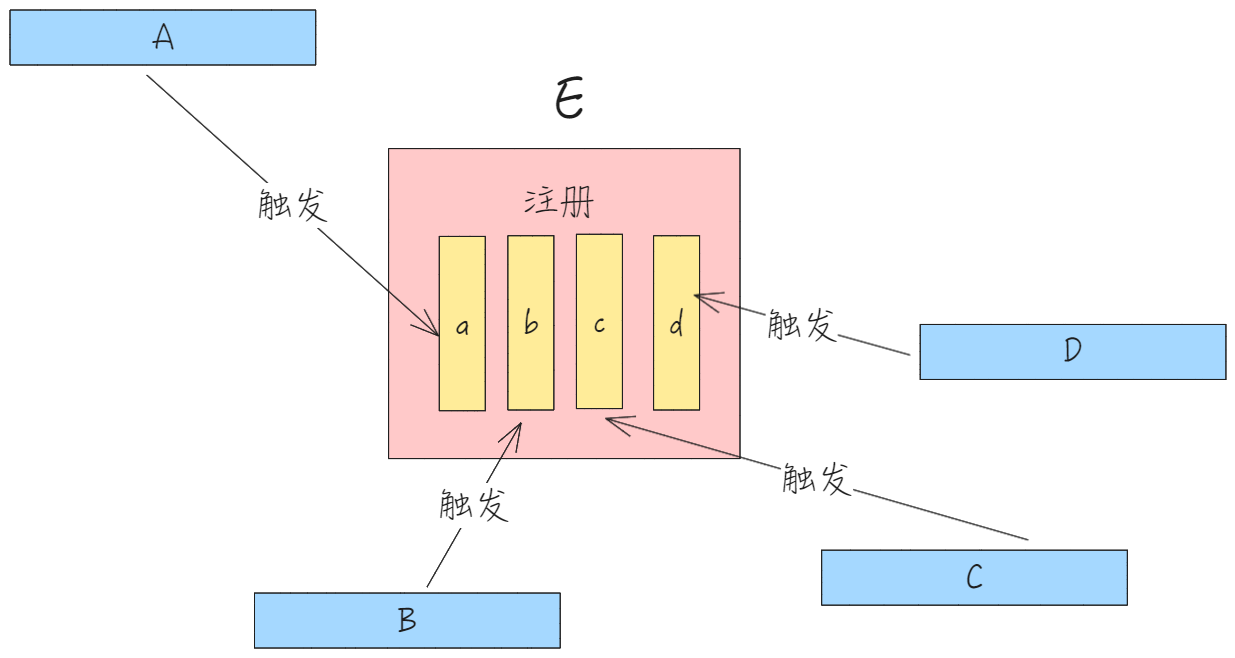
Regular events use the observer pattern, and they are triggered when the user performs the corresponding operation. Custom events, on the other hand, use the publish-subscribe pattern, allowing developers to decide when to register and trigger them.
Custom events need to be registered first, as shown in the figure below. In module E, register and pass in the corresponding callback first, and then you can trigger custom events in other modules to execute the corresponding callback. \r
In VTable, custom modules are primarily used for the following process: when a user interacts, the corresponding custom event is triggered, the state module is changed, and the table component is re-rendered, achieving the interactive system in VTable.
Custom events can be used not only for communication between different modules, but also for business parties to register custom events and implement custom logic. \r
Built-in Event Categories
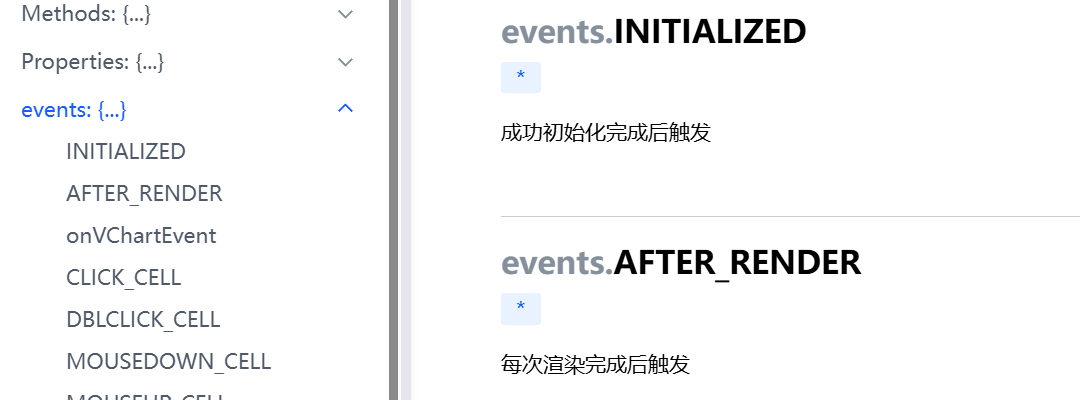
Inside the VTable, more than 50 built-in events are provided, introduced below according to different categories: \r
Cell related
CLICK_CELL Mouse click cell event
DBLCLICK_CELL Mouse double-click cell event
SELECTED_CELL Cell selection state change event
SELECTED_CLEAR Cell selection state change event
DRAG_SELECT_END Drag to select cells mouse release event
MOUSEDOWN_CELL Mouse down event on the cell
MOUSEUP_CELL Cell mouse up event
MOUSEMOVE_CELL Mouse move event on a cell
MOUSEENTER_CELL Mouse enter cell event
MOUSELEAVE_CELL Mouse leave cell event
CHANGE_CELL_VALUE Event to change cell value \r
COPY_DATA Cell content copy event
CONTEXTMENU_CELL Cell right-click event
CONTEXTMENU_CANVAS Canvas right-click event
Keyboard related events
KEYDOWN Keyboard key press event
Table related events
MOUSEENTER_TABLE Mouse enter table event
MOUSELEAVE_TABLE Mouse leave table event
MOUSEDOWN_TABLE Mouse click table event
MOUSEMOVE_TABLE Mouse move event on the table
Row height and column width adjustment event
RESIZE_COLUMN Column width adjustment event
RESIZE_COLUMN_END Column width adjustment end event
RESIZE_ROW Row height adjustment event \r
RESIZE_ROW_END Row height adjustment end event
Event of dragging the header to move position
CHANGE_HEADER_POSITION_START Drag the header or drag the row to start the move position event \r
CHANGE_HEADER_POSITION Event for dragging the header or row to move position
CHANGING_HEADER_POSITION Event during the process of dragging the header or dragging the row
CHANGE_HEADER_POSITION_FAIL The event of failing to drag the header or row to move the position
Sorting related events
SORT_CLICK *Click to sort icon event.*ListTable exclusive event \r
Observing the on method, we can see that it collects the registered custom event callbacks internally and assigns a unique id to each callback, which can be used later to unregister the callback.
The triggering of custom events is done through fireListeners.
Take double-clicking to auto-fit column width as an example: \r
In the callback of the double-click event, trigger the DBLCLICK_CELL event to execute the logic for automatically adjusting column width on double-click.
Most of the built-in event registrations in VTable are completed in the EventManager event management module, while a few other built-in events are registered separately in other component modules, including MenuHandler, EditManager, TooltipHandler, etc. Let's take a brief look at which events are registered by each module.
EventManager
ICON_CLICK
DROPDOWN_MENU_CLICK
DBLCLICK_CELL
MOUSEMOVE_CELL
MOUSELEAVE_TABLE
...
MenuHandler
DROPDOWN_ICON_CLICK
DROPDOWN_MENU_CLEAR
CONTEXTMENU_CELL
CONTEXTMENU_CANVAS
EditManager
DBLCLICK_CELL
CLICK_CELL
TooltipHandler
MOUSEENTER_CELL
MOUSEMOVE_CELL
MOUSELEAVE_CELL
SELECTED_CELL
MOUSELEAVE_TABLE
SCROLL
...
Conclusion
VTable provides a wealth of built-in events. By registering these built-in events, businesses can accomplish the majority of custom business logic. The existence of built-in events makes the table more flexible. \r
This document is provided by the following personnel