!!!###!!!title=Conversion Funnel——VisActor/VChart tutorial documents!!!###!!!!!!###!!!description=In funnel charts, displaying conversion rate arrows is a common requirement.Typically, through VChart's extended graphic element capabilities, custom conversion rate arrows can be implemented, as shown in this [example](/vchart/demo/funnel-chart/funnel-custom-annotation).We have encapsulated the conversion rate funnel chart by consolidating common display forms such as the layout algorithm for custom arrows and the background of the funnel layer.![img](/vchart/guide/extension/conversion-funnel.png)!!!###!!!
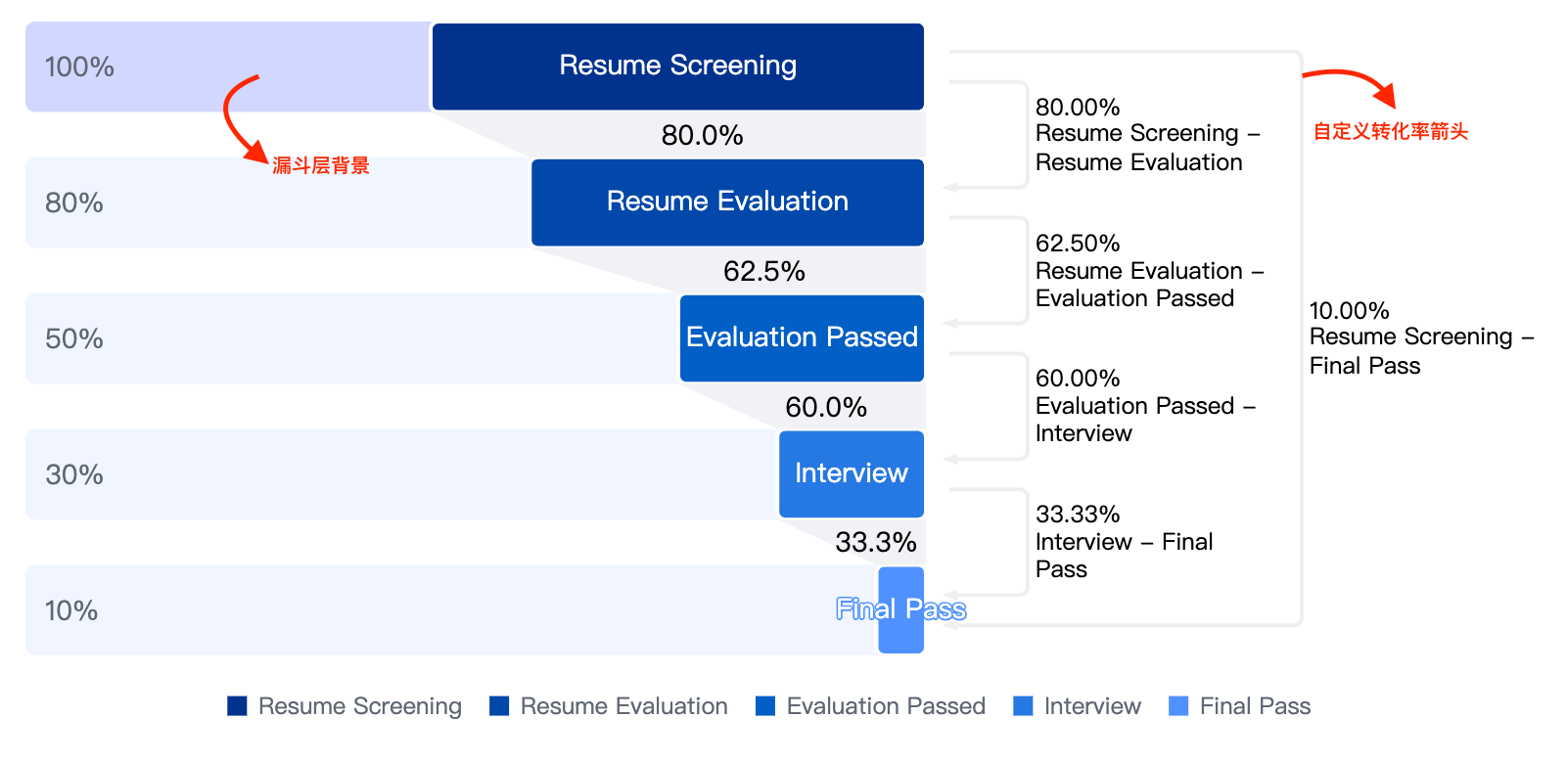
Extend Chart: Conversion Funnel Chart

In funnel charts, displaying conversion rate arrows is a common requirement.

Typically, through VChart's extended graphic element capabilities, custom conversion rate arrows can be implemented, as shown in this example.

We have encapsulated the conversion rate funnel chart by consolidating common display forms such as the layout algorithm for custom arrows and the background of the funnel layer.

How to use extended charts

The conversion rate funnel chart requires manual registration, and the registration and usage are as follows:

import VChart from '@visactor/vchart';
import { registerConversionFunnelChart } from '@visactor/vchart-extension';

const spec = {
  type: 'conversionFunnel'
  //  your spec
};
registerConversionFunnelChart();

const vchart = new VChart(spec, { dom: 'chart' });
vchart.renderSync();

If it is introduced through CDN, the registration method is as follows:

<script src="https://cdn.jsdelivr.net/npm/@visactor/vchart/build/index.min.js"></script>
<script src="https://cdn.jsdelivr.net/npm/@visactor/vchart-extension/build/index.min.js"></script>
<script>
  const spec = {
    type: 'conversionFunnel'

    //  your spec
  };
  VChartExtension.registerConversionFunnelChart();

  const vchart = new VChart.defatult(spec, { dom: 'chart' });
  vchart.renderSync();
</script>
export interface Arrow {
  /**
   * from node index
   */
  from: number;
  /**
   * to node index
   */
  to: number;
  /**
   * arrow position
   */
  position?: 'left' | 'right';
  /**
   * distance between arrow and column
   */
  distance?: number;
  /**
   * arrow text
   */
  text?: string;
}


export interface IConversionFunnelSpec {
  /**
   * conversion rate arrow configuration
   */
  conversionArrow?: {
    /**
     * arrow configuration
     */
    arrows?: Arrow[];
    /**
     * distance between arrow and column
     * @default 12
     */
    margin?: number;
    /**
     * arrow line configuration
     */
    line?: IMarkSpec<Omit<IPathMarkSpec, 'points' | 'fill'>>;
    /**
     * arrow symbol configuration
     */
    symbol?: IMarkSpec<ISymbolMarkSpec>;
    /**
     * label configuration
     */
    text?: IMarkSpec<ITextMarkSpec> & {
      /**
       * arrow text formatting method
       */
      formatMethod?: IFormatMethod<[text: string, params?: { from: any; to: any; arrow: Arrow }]>;
      /**
       * distance between arrow text and column
       * @default 4
       */
      textMargin?: number;
    };
  };
  /**
   * funnel layer background configuration
   */
  funnelBackground?: IMarkSpec<IRectMarkSpec>;
}

Conversion funnel chart example
